
How it works
Your training, planned and in your pocket
Our coaches write the programming in cycles. You train it in the TRUE Training App, at your gym or wherever you have the equipment.
Five steps to your first session
-
Choose your program
Compare TRUE Compete and TRUE 60 on the programs page, or use the Program Finder. TRUE Individual starts with an application instead.
-
Start your free trial
You sign up on FITR, the platform behind the TRUE Training App. TRUE Compete and TRUE 60 start with a 7-day free trial.
-
Get the app
Download the TRUE Training App for iOS or Android and log in with your FITR account.
-
Pick your track and level
In TRUE Compete you choose one of four tracks. Every workout comes in RX, Intermediate and Regular.
-
Train and log
Follow the session of the day, read the coach notes and log your scores. Recurring tests show you where you stand.
TRUE Training App
What you find in the app
The app runs on FITR. If you already train with a FITR login, it keeps working.
Your training day
Each session with its parts, loads and time caps, ready on your phone wherever you train.
Coach notes
The intended stimulus and how to approach the workout, so you know why you do it.
Movement videos
Demos linked to the exercises, for a quick check before you start.
Scores and history
Log results, look back at your workout history and compare retests within a cycle.
Messages and community
Coach messages and the TRUE community in one place.
Weekly extras
Weekly Leaderboard workout, Brain Box and Nutrition Box.
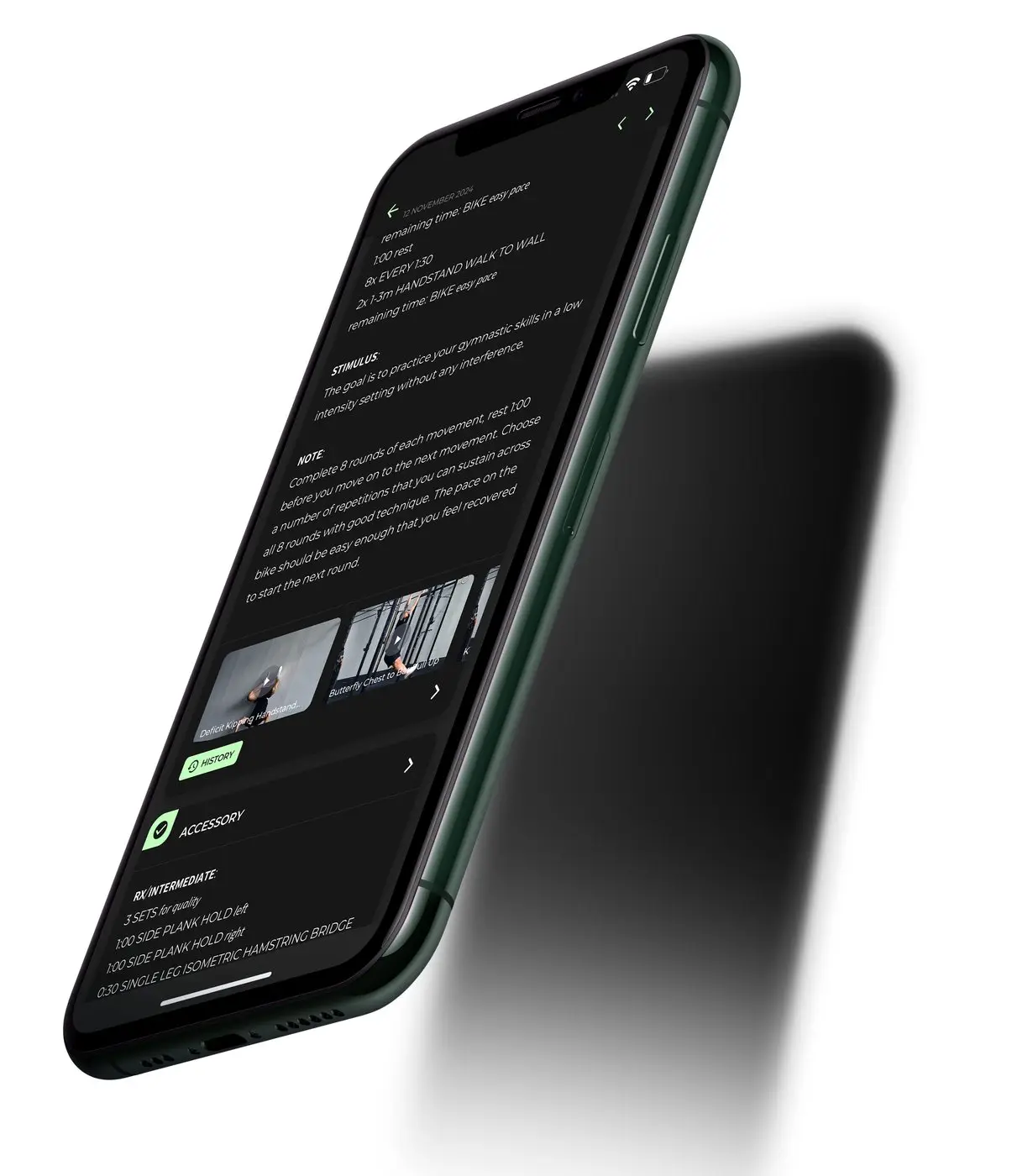
Screenshots
A look inside
-
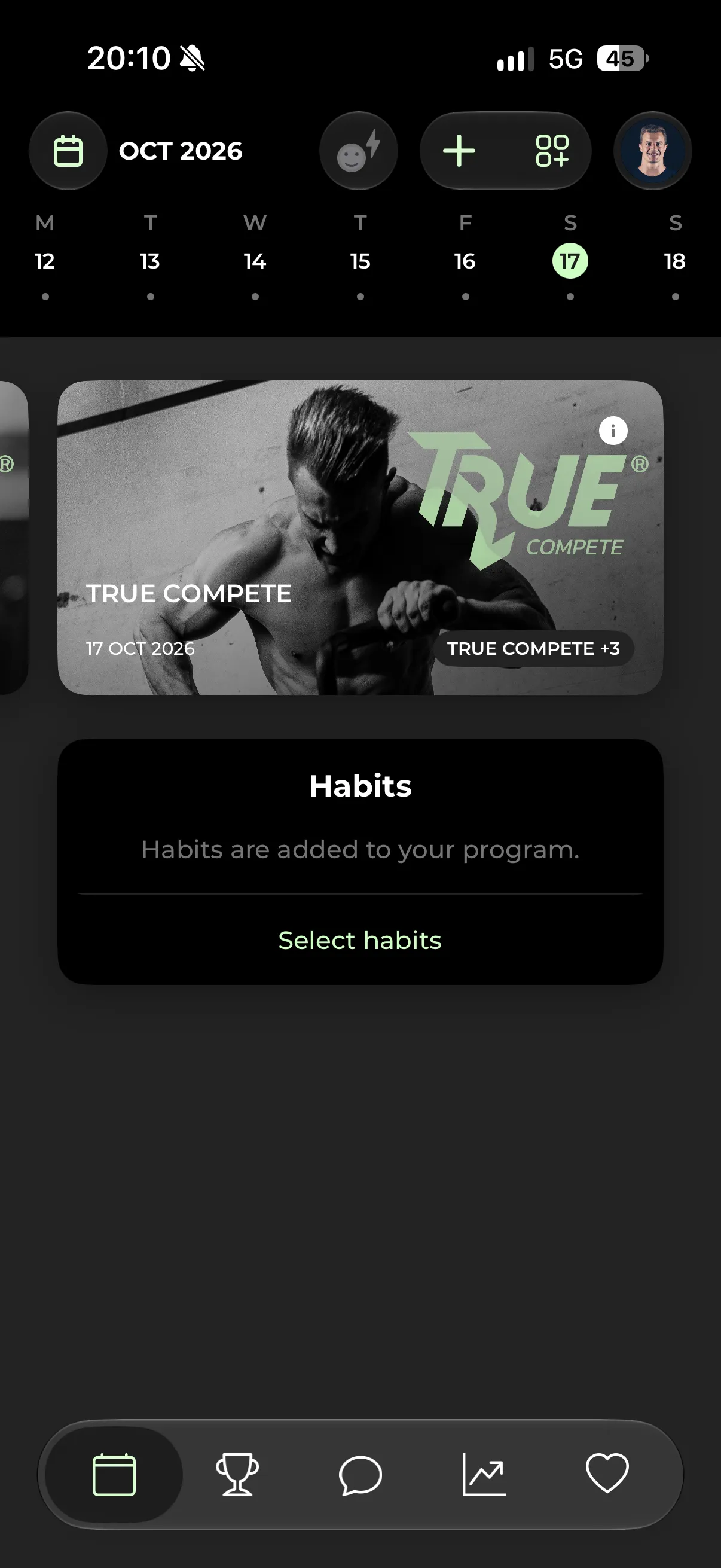
Your training day
Pick a day in the week bar and open the session.
-
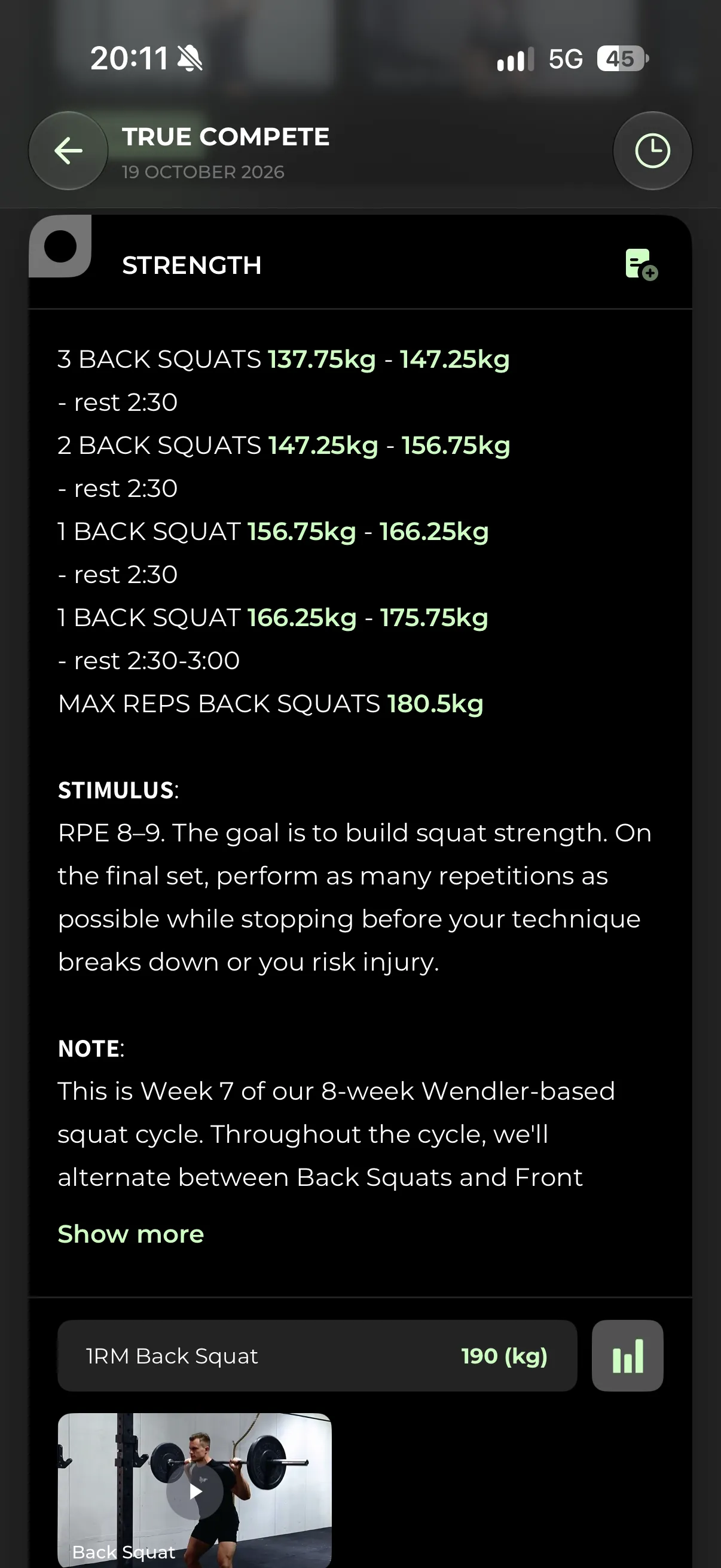
Loads calculated for you
Percentages turn into kilos based on your logged 1RM, with stimulus and coach note.
-
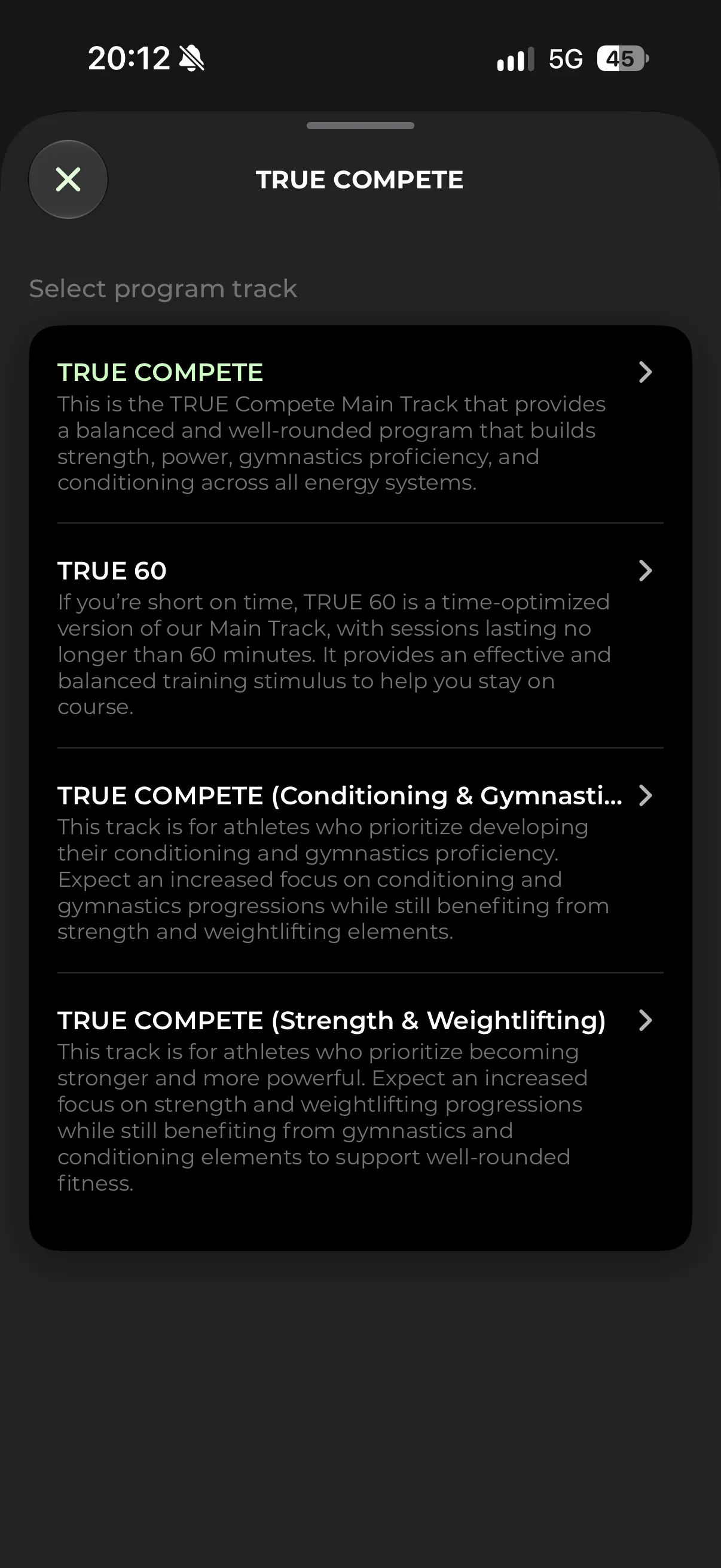
Choose your track
Main Track, TRUE 60 or extra emphasis on Strength & Weightlifting or Conditioning & Gymnastics.
-
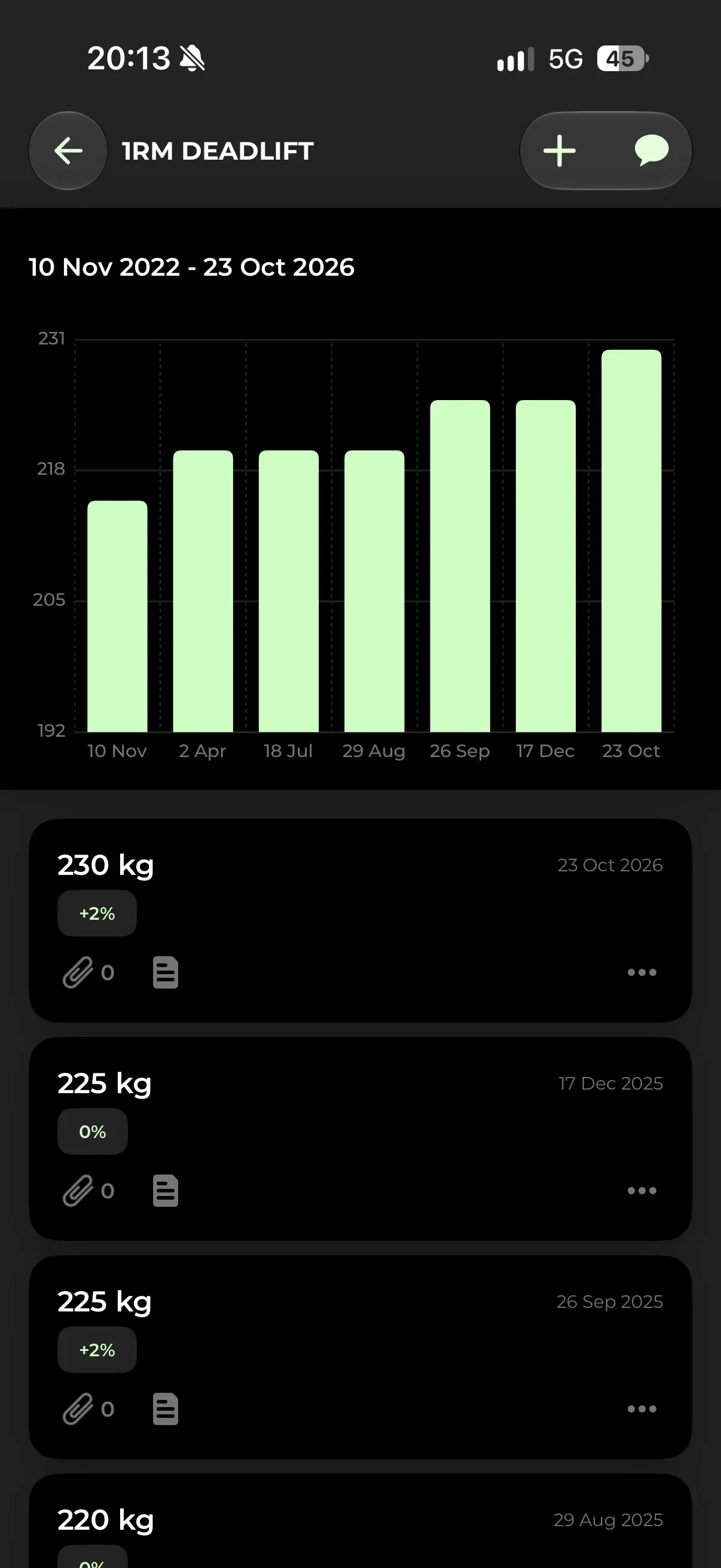
Your progress
Every max you log, as a chart over time.
Screenshots from the TRUE Training App. The values shown are example data from Jan’s own account and illustrate the features.
The system
Training in cycles
A session only makes sense as part of the week, and a week as part of the cycle. That is how we plan.
Block overview
At the start of each cycle you get an overview of its focus and what to expect in the coming weeks.
Progression
Strength, weightlifting, gymnastics and conditioning build from week to week instead of changing at random.
Testing
Recurring tests show progress and set the starting point for the next cycle.
Download
Get the TRUE Training App
Free to download. Your program unlocks when you sign up for it on FITR.
FAQ
Before you sign up
How does the 7-day free trial work?
You start the trial for TRUE Compete or TRUE 60 on our program page at FITR, the platform behind the TRUE Training App, and enter your payment details there. If you do not cancel before the 7 days are over, the trial turns into the subscription you chose and the first payment is due. Cancel in the app or your FITR account before then and you pay nothing.
Which app do I train in?
All programs are delivered through the TRUE Training App for iOS and Android. It runs on FITR, so an existing FITR login keeps working.
Which level should I choose?
Every workout comes in three versions: RX, Intermediate and Regular. Choose the one that lets you hit the intended stimulus of that workout. Your choice can change from workout to workout. Example: RX is only the right choice if you can hold the gymnastics reps in no more than two sets across all rounds.
Can I switch tracks in TRUE Compete?
Yes. With TRUE Compete you have access to all four tracks and can choose the one that best fits your goals and the time you have.
How do I cancel my subscription?
You can cancel at any time in the app or in your FITR account, or by email. The cancellation takes effect at the end of the current billing period, and you keep access until then. Billing periods already paid are not refunded unless mandatory law says otherwise, for example the right of withdrawal for consumers in the EU or EEA (Terms, section 7).
What language is the programming in?
Workouts, movement names and notes in the app are in English.